
Conversion Tracking, Analytics, Google Tag Manager (GTM) and Enhanced Conversion Setups
Stop guessing your ROAS. We build optimized tracking ecosystems that give your ad platforms the exact fuel they need to scale.
I help clients set up their conversion trackings
For the past years, I worked under one of the largest digital marketing agencies in the US — as their Web Analytics & Conversion Tracking Specialist, where I’ve handled 35–60 tracking setups a month, from audit, clean-up, troubleshooting, and set up. So I’ll be happy to share that expertise to every small to mid businesses to make your every dollar spent measured correctly.
What I can help you with?
- GA4 Conversion Audit + Clean Up
- Google Ads Conversion Audit + Clean Up
- E-Commerce Events and Purchase Tracking (Shopify, WooCommerce, Magento and etc)
- Socials Platform (Meta, LinkedIn, and etc) Event Tracking Setup
- Google Ad Enhanced Conversion Set Up
- Microsoft Ads Event Set Up + Enhanced Conversion
- Custom Event Tracking
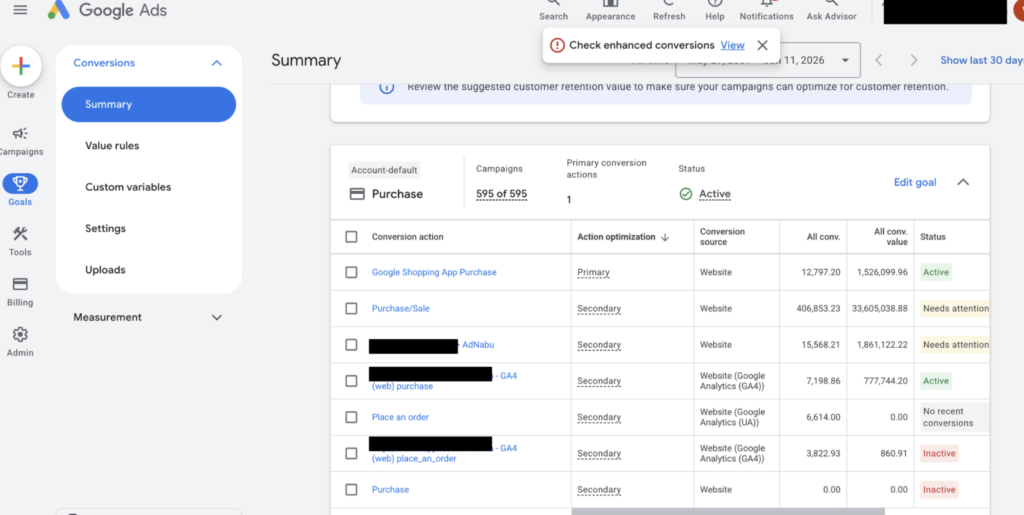
Google Ads Conversion Tracking: Audit and Set Up
Are you unsure if your Google Ads conversions are tracking accurately, or are you missing critical data needed to optimize your campaigns? Inaccurate tracking leads to wasted ad spend and misinformed bidding strategies.
I provide a comprehensive Google Ads Conversion Tracking Audit and Setup service to ensure every click, lead, sale, and user action is accurately captured, attributed, and leveraged for maximum ROI. Whether you are running a Shopify DTC store, a B2B lead generation campaign, or a local service business, I will align your data tracking with your core business goals.
What’s included?
- Fixing Misconfigurations: Auditing existing Google Tag Manager (GTM) containers and Google Analytics 4 (GA4) properties to identify broken tags, duplicate counting, or unlinked accounts.
- Ad Firing & Indexability Issues: Troubleshooting meta/Google tag firing errors and resolving landing page indexability or technical on-page snags that disrupt user tracking.
- Google Tag Manager (GTM) Pro Configuration: End-to-end setup of GTM tags, triggers, and variables customized to your website architecture (Shopify, WooCommerce, Webflow, custom funnels).
- Advanced Conversion Tracking: Setting up precise tracking for form fills, button clicks, phone calls, dynamic e-commerce purchases (revenue tracking), and subscription renewals.
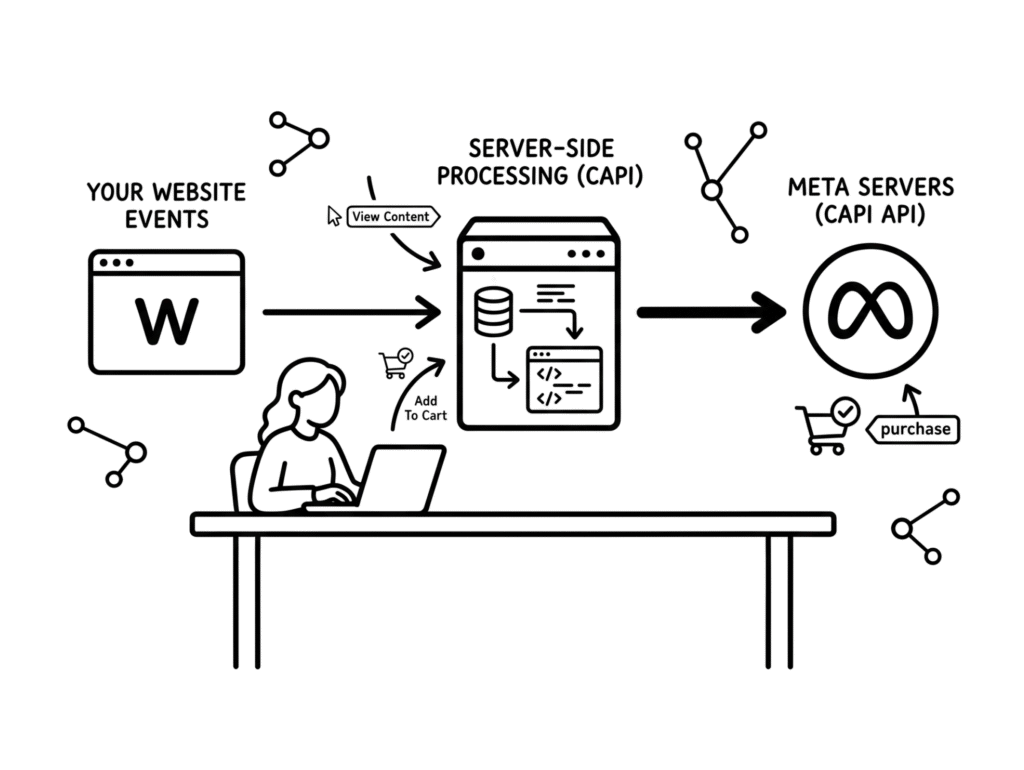
- Server-Side Tracking & Conversions API (CAPI): Implementing robust server-side tracking to bypass ad-blockers, iOS restrictions, and cookie data loss for cleaner, more reliable marketing data.
- GA4 & Enhanced Conversions: Configuring GA4 enhanced measurement and Google Ads Enhanced Conversions to improve match rates and power Google’s smart bidding algorithms.
Meta Pixel & Conversion API (CAPI) Setup and Optimization
Are your Facebook and Instagram ad campaigns underreporting sales, or are you seeing a massive discrepancy between your Meta Ads Manager and your actual website revenue? Ever since iOS updates and browser privacy restrictions, relying solely on a standard browser-based Meta Pixel means you are losing critical optimization data and paying more for your conversions.
I provide an end-to-end Meta Conversion Tracking & Conversions API (CAPI) Setup service. By combining browser-side and server-side tracking, I restore your data accuracy, lift your Event Match Quality scores, and give Meta’s algorithm the deep data it needs to find your ideal buyers and lower your Cost-Per-Acquisition (CPA).
What’s included?
- Advanced Conversions API (CAPI) Integration
- Event Match Quality (EMQ) Optimization
- Full-Funnel E-commerce & Lead Gen Tracking
- Meta Business Suite Audit & Clean Up
For most standard websites and e-commerce stores (like Shopify or WooCommerce), a complete conversion tracking audit and setup takes between 1 to 2 days once full platform access is provided.
Delayed Access: Waiting for invitations or permissions to Google Tag Manager, Google Ads, or website backends.
Custom Checkouts & Funnels: Headless websites or highly customized multi-step checkouts without a standard data layer require custom JavaScript coding and deeper testing.
Server-Side Hosting Setup: Waiting for DNS (Domain Name System) record updates to propagate when setting up a custom tracking subdomain for Server-Side GTM.
Yes. If you have an urgent campaign launch, please let me know. I offer expedited 24-to-48-hour turnarounds for critical situations. However, please note that rushing the setup still requires going through a mandatory testing phase to ensure your ad spend is not optimized against broken data.
To safely complete your audit and technical setup, I will need restricted partner or standard user access to:
Google Tag Manager (Admin/Publish access)
Google Analytics 4 & Google Ads Accounts
Meta Business Suite (Events Manager / Pixel access)
Your Website CMS backend (Shopify, WooCommerce, Webflow, etc.) to verify your data layer
I run every setup through a strict quality assurance process. I use Google Tag Manager Preview Mode, GA4 DebugView, and Meta’s Real-Time Test Events tool to watch the tags fire live. For e-commerce stores, I will perform a live test transaction to guarantee that the currency, item structure, and exact dollar values match your backend perfectly before handing over the project.
No. By centralizing all of your tracking tags inside Google Tag Manager (GTM), your website only has to load a single, optimized container script rather than multiple separate, heavy platforms scripts. Furthermore, migrating your tracking to a Server-Side environment completely removes that heavy processing script from your user’s browser, helping your site stay fast.
With traditional browser cookies losing their tracking power, Google Ads Enhanced Conversions is a must-have. It takes first-party customer data (like a hashed email or phone number) captured on your site and matches it securely with Google’s database. This recovers lost data, gives you a clearer picture of your actual ROAS, and gives Google’s smart bidding algorithms the fuel they need to optimize.
- FAQs
Frequently asked questions
Explore frequently asked questions regarding our audit process, implementation timelines, and tracking platforms to see how we help businesses capture clean, actionable marketing data.